
Shopify Speed Audit: A Core Web Vitals Checklist
By EssDeeJay Engineering Team · Updated
Find what slows your Shopify store. Audit loading, interactions and layout shifts, prioritize fixes, and verify results across real customer journeys.
The quick answer
A useful Shopify speed audit starts with the customer experience that is failing: slow loading, delayed interactions or an unstable layout. Measure representative pages on mobile and desktop, investigate the affected metric, make a controlled change, and check that shopping still works. A high homepage score alone does not describe the whole store.
This guide is for merchants planning a theme update or evaluating a performance proposal. The workflow and example below are our recommended approach, not results from a client project. Platform references were checked on November 9, 2026.
Know which metric needs attention
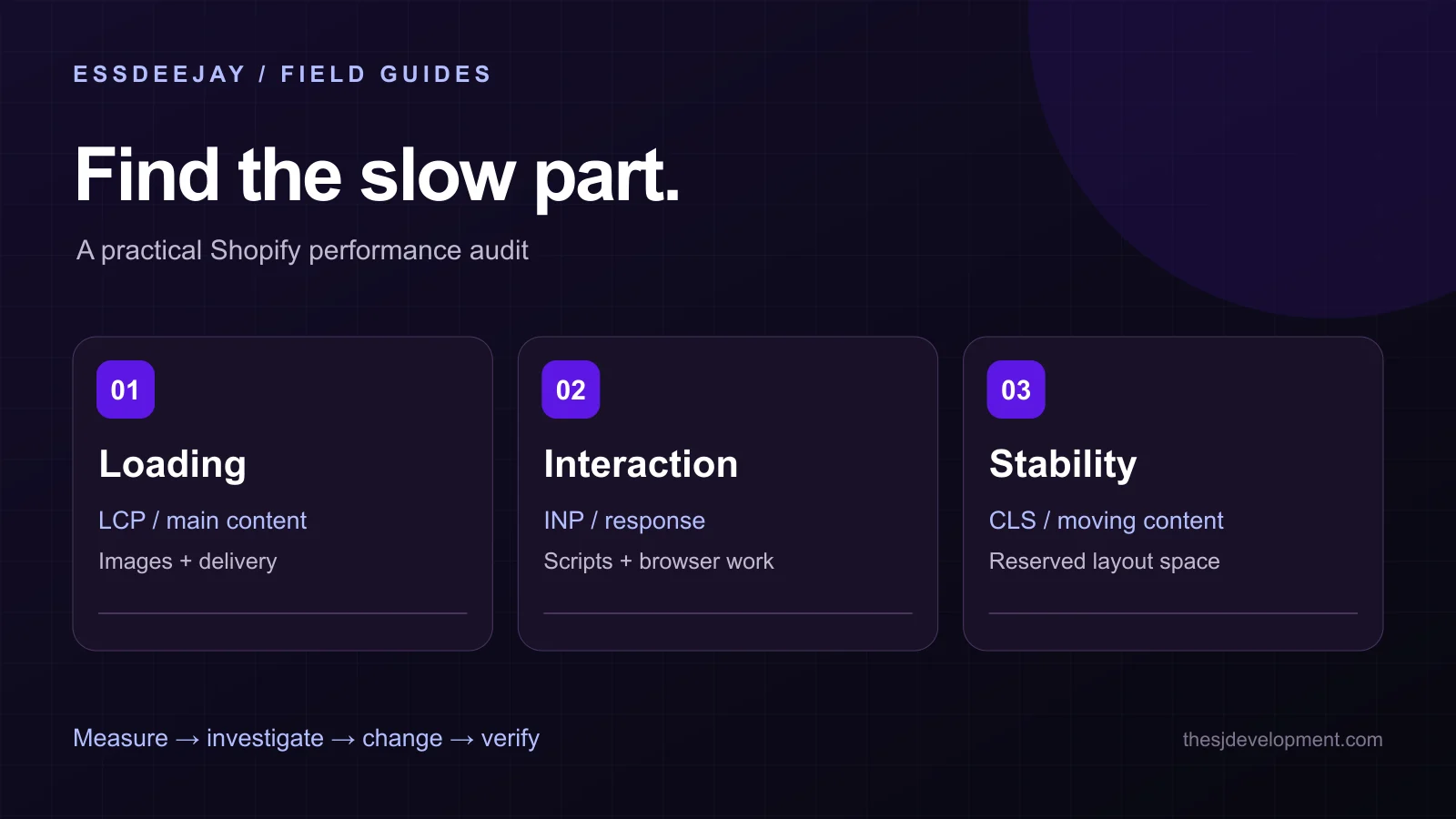
Google's Core Web Vitals measure three aspects of the experience. The good thresholds are Largest Contentful Paint (LCP) at or below 2.5 seconds, Interaction to Next Paint (INP) at or below 200 milliseconds, and Cumulative Layout Shift (CLS) at or below 0.1. Evaluate them at the 75th percentile, separated by device type. Google's Web Vitals guidance.
In practical terms, LCP asks when the main content appears, INP asks how quickly the page responds to an interaction, and CLS asks how much visible content moves unexpectedly. These metrics are more informative together than a single blended speed score.
Write down the symptom before choosing a fix. A late product image needs a different investigation from a size selector that pauses after a tap. Compressing every image will not resolve every interaction problem.
Build a representative baseline
Choose a small set of pages that reflects how people actually shop. Include your homepage, a busy collection, a simple product, a product with several variants and the cart. Add a landing page used by paid campaigns if it has a different layout.
For each page, record the URL, device, theme version, consent state, installed app features and the date. Include at least one normal mobile browsing session, not just an empty cache desktop simulation.
Use field data to understand real visitors and repeatable lab tests to investigate specific causes. Shopify's performance reporting covers loading, interactivity and stability; themes, apps, media and analytics can all affect the result. Shopify web performance overview.
A store with limited traffic may not have enough field data for every URL. Record that limitation and use representative testing. Do not present a lab score as a measured improvement for all customers.
If the main content appears late, inspect its loading path
Identify the largest visible element in the performance trace. On a product page it may be the first product image; on a collection it may be a banner or text block. Check when the browser discovers it and what delays its display.
Ask these questions:
- Is the image much larger than its rendered size?
- Does the browser receive a suitable image for the viewport?
- Is an above-the-fold image being lazy-loaded?
- Does a carousel or animation wait for JavaScript before showing the first slide?
- Are fonts or styles delaying the text that visitors need first?
Shopify's theme performance guidance covers image delivery, JavaScript, CSS, fonts and rendering. Use the relevant recommendation after identifying the cause rather than applying every optimization indiscriminately.
For an initial experiment, simplify one representative hero or product-media section in an unpublished theme. Compare the same page under the same conditions. Keep the original theme available while reviewing the change.
If taps feel delayed, audit work on the page
Test the interactions that matter: opening navigation, filtering a collection, choosing a variant, changing quantity and adding an item to the cart. Record which action feels slow and whether it fails only after other widgets load.
Inventory the scripts that run during that action. A review widget, personalization tool, analytics integration and custom theme listener can all be individually useful while competing for the same browser resources.
Assign an owner to each feature before removing it. Ask what business purpose it serves, which templates need it and whether the implementation loads more code than the feature requires. Test one change at a time in a safe theme copy. An app count alone is not a diagnosis: two stores with the same number of apps can load very different storefront code.
If collection filters are the friction point, pair the performance investigation with our Search & Discovery filter checklist. Faster execution and clearer choices address different parts of the same journey.
If the layout jumps, reserve the space
Watch a recording of the page loading and interacting. Look for images without reserved dimensions, banners arriving above existing content, font changes, or app blocks expanding after rendering.
Write down what moved and what caused it. Reserve an appropriate image or embed area, keep essential controls stable, and review how announcements appear. Check both short and long product titles, unavailable variants and messages that wrap onto several lines.
For example, imagine a delivery estimate appears directly above the Add to cart button after the page settles. The proposed fix is to reserve a suitable message area or redesign its placement. The acceptance test is that the control stays usable across actual message lengths. This is an illustrative scenario, not a reported store result.
Use a practical audit worksheet
Create one row per issue with these fields:
- Affected page and journey: where the problem appears and what the customer is trying to do.
- Evidence: field metric, trace, recording or repeatable interaction.
- Likely cause: the asset, script or layout behavior to investigate.
- Proposed change: a bounded task with an owner and a rollback path.
- Acceptance test: the metric and shopping behavior that must improve or remain reliable.
Prioritize by the number of important journeys affected, severity, confidence in the diagnosis and effort. Avoid promising a conversion increase from a technical score. Measure commercial outcomes separately and account for changes in campaigns, inventory and promotions.
Verify the release and watch real traffic
Repeat the baseline tests after the change. Check navigation, search, product options, discounts, consent controls and checkout handoff. Then review field data over an appropriate collection window; it will not immediately reflect a new deployment.
Record what changed and what did not. If the result is inconclusive, retain that uncertainty rather than treating a different test score as proof. Keep performance checks in the release process so the next campaign or app installation does not silently undo the improvement.
Frequently Asked Questions
Is a perfect Lighthouse score necessary for Shopify SEO?
No. A lab score is a diagnostic signal, not a ranking guarantee. Review real visitor experience, important templates and shopping functionality alongside technical test results.
Should I remove all Shopify apps to make the store faster?
No. Inspect the code and features that actually load on affected pages. Keep useful functionality, test controlled changes, and remove or replace components only when the evidence supports it.
Can images cause every Core Web Vitals problem?
No. Image delivery can affect loading and layout stability, but delayed interactions often require a separate investigation of scripts and browser work.
Get a scoped performance plan
Our Shopify performance optimization service covers evidence gathering, theme and asset changes, and release validation. For a broader rebuild, explore theme development. Send the affected URLs, devices and recent changes through our project enquiry page so the investigation starts with a concrete problem.
Turn insight into a roadmap
Put this guide to work on your website.
We audit the commercial goal, customer journey, platform constraints and existing stack before recommending a build. You get a prioritized plan grounded in impact, effort and maintainability.
Discuss your project