
Moving to Shopify: An SEO Migration Checklist
By EssDeeJay Engineering Team · Updated
Plan a Shopify migration with a URL map, tested redirects, content checks and launch monitoring. Protect discoverability while changing your storefront.
The quick answer
An SEO-conscious Shopify migration preserves useful content, maps old URLs to appropriate destinations, tests permanent redirects and monitors the new pages after launch. Complete the URL map before changing the domain or storefront. Product imports alone do not preserve how customers and search engines find those products.
This checklist is for a move from another commerce platform or a substantial Shopify URL restructuring. It cannot guarantee unchanged rankings. Google explicitly notes that rankings can fluctuate while a significant move is recrawled and reindexed. Google's site migration guidance.
The project workflow below is our recommendation. Platform references were checked on November 9, 2026.
Inventory the URLs that matter
Combine a crawl of the current website with landing-page reports, the existing sitemap, backlink destinations and your merchandising team's priority pages. Each source can reveal URLs the others miss.
Collect products, categories, articles, buying guides and information pages. Include older campaign URLs that still attract useful traffic. Record whether each page is live, indexable and intended to remain available.
For every URL, capture:
- The current address and page purpose.
- Relevant organic visits, enquiries or sales when available.
- The content and assets that need to survive.
- The proposed Shopify destination.
- The owner who will approve the mapping.
Preserve the original exports. If the new site behaves unexpectedly, a dated baseline is more useful than a recollection of what the old site contained.
Map destinations by intent
Match an old product page to the equivalent new product. Match a category to a collection that still answers the same shopping need. Keep a useful guide when it continues to support a decision; do not discard it simply because it is outside the product import.
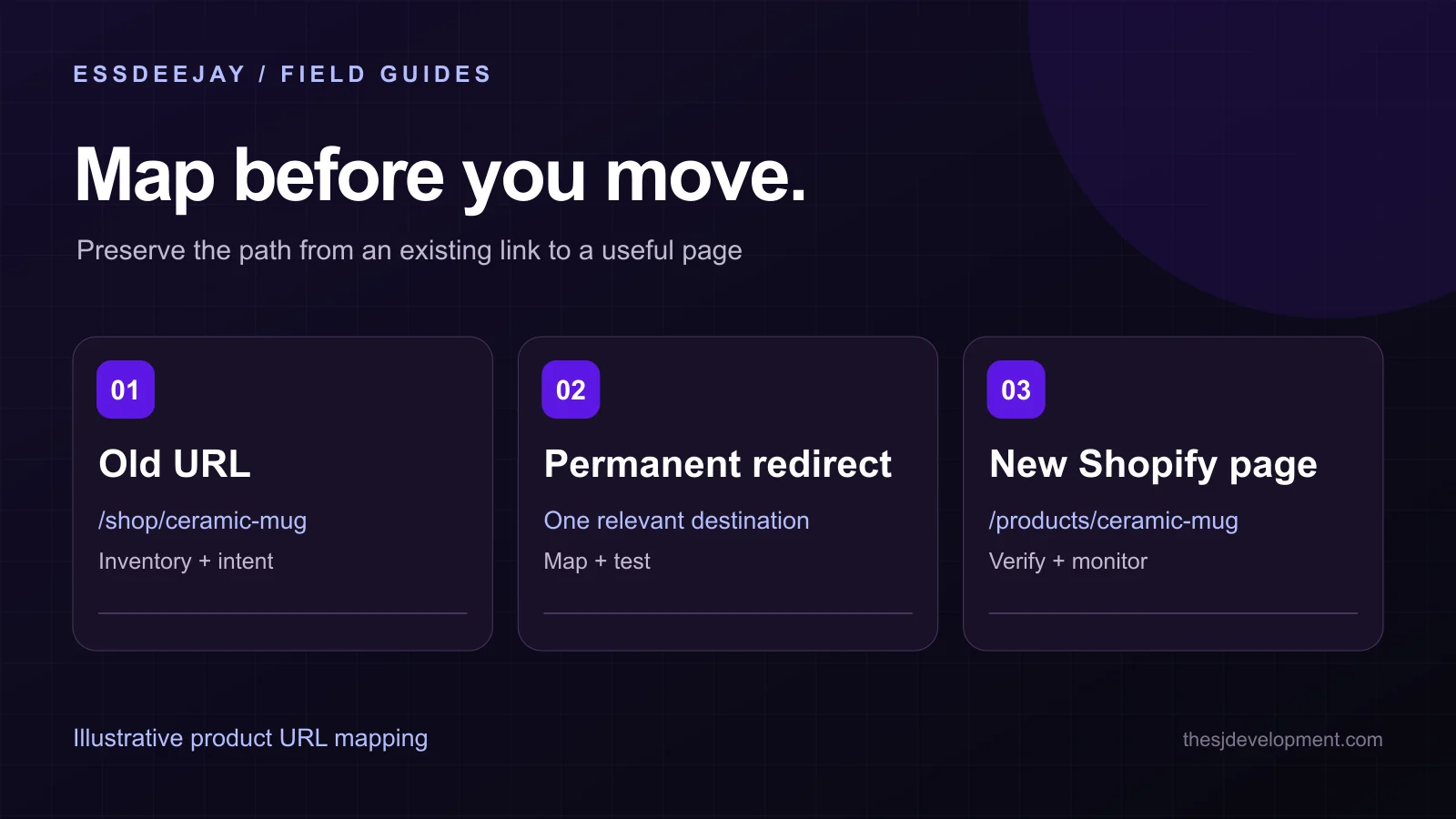
For an illustrative example, an old /shop/ceramic-mug page might map to /products/ceramic-mug. Confirm that the destination still describes the same item and offers the relevant choices. A product with a similar name is not automatically an appropriate replacement.
When a product is permanently discontinued, decide whether a close replacement or a genuinely useful category serves the visitor. If there is no relevant destination, a proper missing-page response can be more honest than sending every retired URL to the homepage.
Give merged pages an explicit decision. If three old guides become one better guide, verify that the new page still addresses their useful questions. Preserve value, not just the quantity of redirects.
Check Shopify's redirect constraints early
Shopify supports creating and managing redirects, including imports, but its redirects work from broken URLs. If the source still resolves to a valid Shopify page, the redirect will not take effect. Fixed and reserved paths have restrictions, query-string URLs may behave unexpectedly, and market subfolders may need individual entries. Shopify redirect documentation.
These constraints should shape the mapping before launch. Build a pilot set containing a product, collection, article, retired URL and any locale-specific path. Test the behavior you need rather than assuming a successful CSV upload proves the redirect works.
For a domain move, account for the old host and domain as well as the new Shopify store. Someone must continue handling requests to the old addresses. A redirect entry on the destination platform cannot fix DNS or hosting that no longer reaches a functioning service.
Preserve the content that earns the visit
Compare old and new pages side by side. Check titles, primary headings, descriptions, product specifications, delivery information, images and useful internal links. Confirm that content is visible on mobile and available without opening a complex interactive widget.
Do not copy obsolete claims or errors just to keep the text identical. Mark intentional changes and make sure the new page still fulfills the query that brought a customer there.
Review product structured data against the actual price, availability and variants. A theme and an app may both generate markup, so inspect the final page rather than each configuration screen in isolation. Our AI commerce discovery guide explains why reliable product facts also matter to shopping assistants.
Keep important page copy out of image-only banners. Headings, product details and policies need readable text that users and crawlers can interpret.
Run a launch acceptance checklist
Assign someone to sign off on each of these checks:
- Important destinations respond successfully: the page exists and contains the expected content.
- Old URLs reach the intended page: use a direct permanent redirect where appropriate and avoid unnecessary chains.
- Canonical URLs are consistent: new pages point to the intended production addresses.
- Indexing controls are ready: launch pages do not retain staging restrictions.
- Internal links use the new addresses: navigation and editorial links do not depend on redirects.
- The sitemap reflects the new site: inspect representative entries and submit it through the relevant webmaster account.
- Shopping still works: test search, variants, cart, discounts and checkout handoff.
- Measurement is comparable: consent settings and key events are understood before comparing results.
Google recommends preparing mappings, testing the new site, implementing redirects and monitoring the move. If possible, avoid combining a domain change, platform change and extensive redesign without distinct verification stages. Google's migration process.
Plan the first weeks after launch
On launch day, test high-value redirects and destination pages from outside the admin preview. Check the production hostname and mobile experience. Review new errors, form delivery and the purchase journey before treating the release as complete.
During the following weeks, compare organic landing pages, indexing reports and relevant business outcomes. Investigate patterns: a decline across a whole category suggests a different problem from one missing product URL. Check seasonality, advertising changes, stock availability and the measurement setup before attributing every movement to SEO.
Keep a redirect backlog with the old URL, observed behavior, intended destination and resolution date. Keep ownership of the old domain and necessary routing in place while the transition is being monitored; the migration is not finished simply because the new homepage is live.
Frequently Asked Questions
Can a Shopify migration guarantee no traffic loss?
No. A careful migration reduces avoidable errors, but search engines must recrawl and reassess changed URLs. Agree on monitoring and recovery responsibilities before launch.
Should every old URL redirect to the homepage?
No. Choose a relevant equivalent or replacement where one exists. A blanket homepage redirect often fails to answer the visitor's original need.
Is importing products enough to preserve SEO?
No. URL mappings, content, internal links, canonical URLs, indexing controls and measurement need their own checks in addition to product data.
Should I test redirects before or after launch?
Both. Validate the map and a representative pilot before launch, then verify real production responses immediately after release and during monitoring.
Scope the migration before the rebuild
Our Shopify theme development, SEO and discovery work, and integration service can cover the connected storefront and data tasks. Share your current platform and project requirements with the URLs and business journeys that matter most. A useful migration brief includes a launch owner, a rollback decision and a plan for post-launch monitoring.
Turn insight into a roadmap
Put this guide to work on your website.
We audit the commercial goal, customer journey, platform constraints and existing stack before recommending a build. You get a prioritized plan grounded in impact, effort and maintainability.
Discuss your project